Sr. Product Designer · Lepaya · Oct 2024 – May 2025
Training Scheduling Portal
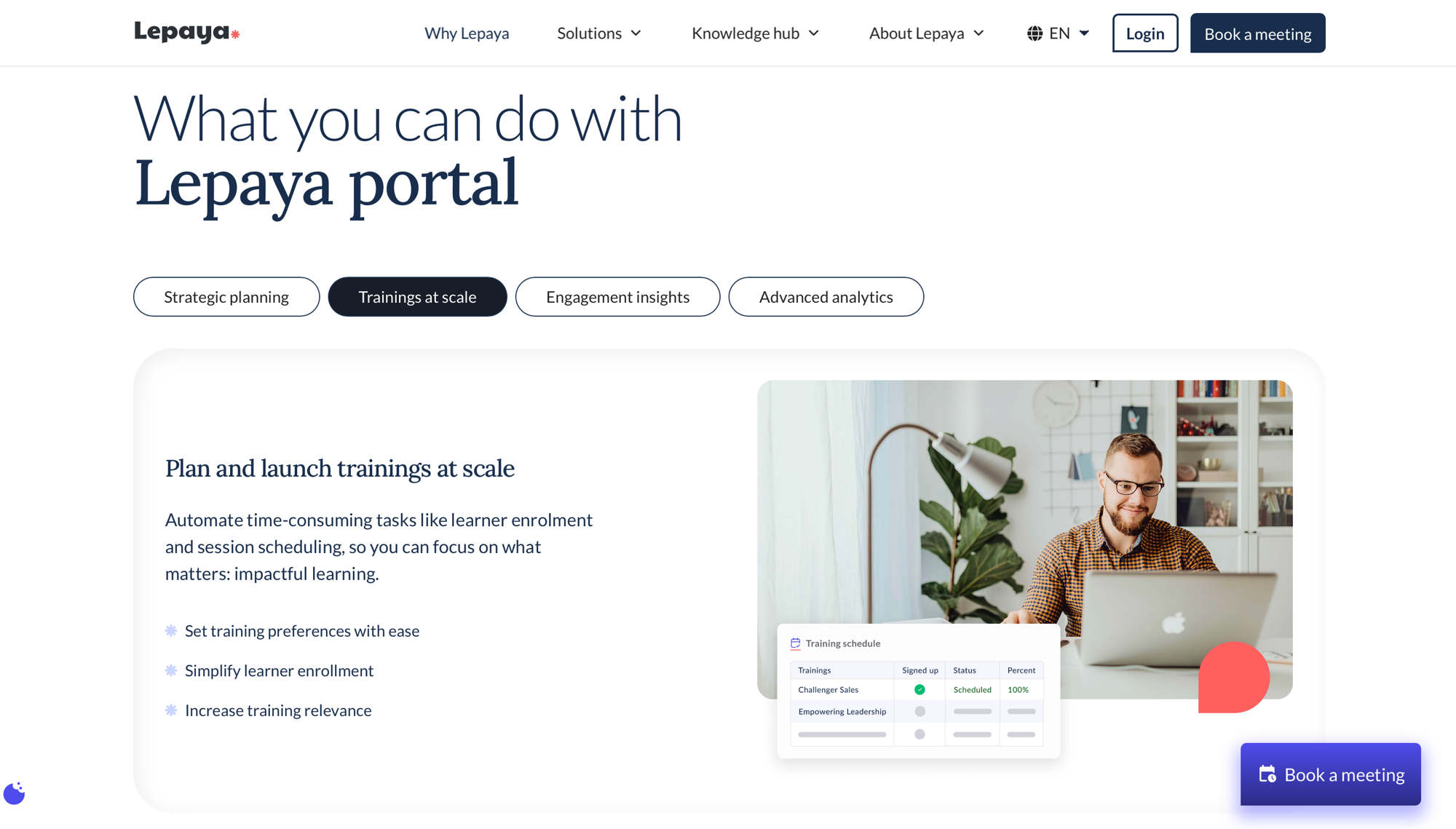
A client-facing SaaS portal for scheduling workforce training programs.
Roles & responsibilities
- Timeline
- Senior Product Designer · Oct 2024 – May 2025end-to-end designer on the team
- Team
- Cross-functional product teamProduct owner, three developers, a dev lead, one engineering manager / agile coach, and me as the sole product designer
- Collaboration
- Deep cross-functional work with operations, CRM specialists, and engineering.Held at senior level for stakeholder management across operations, CRM, and product, plus client relations and research.
- Responsibilities
- •Information architectureStructuring complex planning and scheduling flows
- •Service designFront-stage / back-stage service blueprint
- •User researchTesting flows with client L&D contacts
- •End-to-end product designFlows and interaction, shipped with the team
Client-facing SaaS at Lepaya
A scheduling portal that replaced spreadsheets with self-service
A client-facing portal where clients' L&D teams plan and schedule the workforce training programs they run with Lepaya, then send it off as a training order — directly, instead of exchanging spreadsheets back and forth.
The portal automates the time-consuming parts — enrollment and session scheduling — so L&D can focus on the training itself.
Client specifics are under NDA, so this case focuses on the design decisions, service design, and cross-functional collaboration behind it.
Where it fits
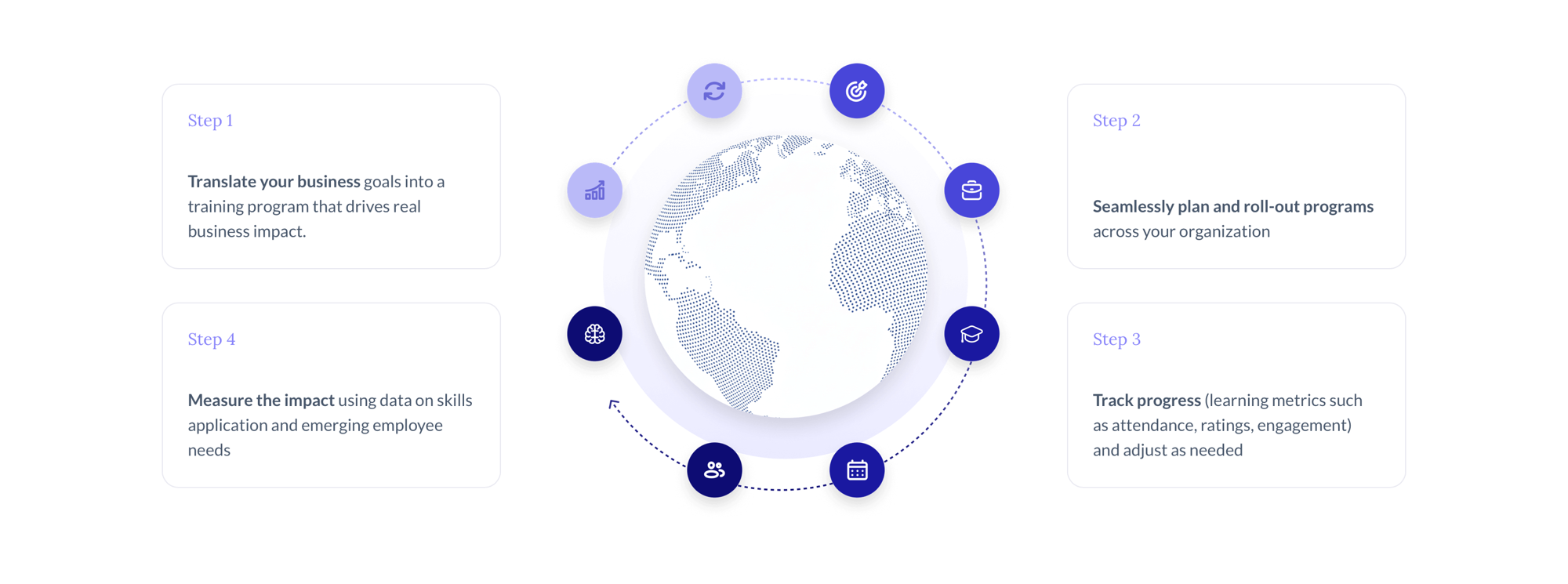
Step 2 of Lepaya's program lifecycle
The portal powers the plan-and-roll-out step of Lepaya's program lifecycle — where L&D teams turn approved training programs into scheduled delivery across their organization.
Problem
Scheduling training is genuinely complex
Planning and scheduling training programs is intricate — dates, cohorts, tracks, and delivery all have to line up. Before the portal, clients and Lepaya coordinated it through hours of spreadsheets passed back and forth.
The challenge: let clients plan and schedule confidently on their own and turn that into a clean training order — keeping their interaction focused on the higher-level tasks that actually need them, like reschedules and scheduling conflicts.
Key decisions
Structure the complexity, hide the machinery
1. Lists to navigate, side-drawer forms to act
Given the complexity, I owned the information architecture: lists carry navigation, and every planning or scheduling action opens as a form in a right-side drawer — so people keep their place in the list while they act.
Result: Clients always know where they are and what they're changing, even in dense scheduling flows.
2. Separate front stage from back stage
Internal operations language made sense to ops but not to clients. Using a service blueprint, I separated the client-facing experience (front stage) from the actions behind the line of visibility (back stage), where operations and delivery collaborate.
Result: Both clients and operations could read the experience they each needed, without internal jargon leaking to the client.
3. Own the experience, stay interoperable
The portal had to own the scheduling experience while staying interoperable with an existing CRM of record — so I designed around its integration constraints rather than against them, keeping customer records where they already lived.
Result: The portal owns the experience yet stays interoperable with the systems that remain.
Ways of working
Designed across operations, CRM, and engineering
I worked closely with an operations specialist who owns training scheduling and delivery to learn the real processes, and mapped with the team which parts of the journey the portal should carry.
I designed within the integration constraints so the portal worked without disrupting how operations run day to day. With developers it was a smooth give-and-take on usability-versus-feasibility tradeoffs — aiming for the win-win each time.
I ran research with a small group of client contacts to capture and improve the flows before build.
Outcome
Clear, significant time saved
Clients and operations reported winning back the time once spent building and exchanging spreadsheets — planning and scheduling in the portal, then sending off for approval and only adding detail when a scheduling difficulty came up.
Rescheduling was made easy from both sides.
“We used to lose hours building and swapping spreadsheets with Lepaya. Now we plan and schedule ourselves and just send it off.”